If your computer screen keeps going black, it can be difficult to know whether the problem is the monitor, Windows, a cable, the graphics hardware or the computer itself. Sometimes the screen comes back after a few seconds. In other cases, the computer appears to stay on but the display remains completely blank.
The useful thing is that the pattern often gives clues. A black screen that appears during startup can have a different cause from one that happens after ten minutes of use. The same applies if the display cuts out when you move the laptop lid, connect another monitor or start a demanding program.
This guide explains the most common causes, what you can safely check yourself and when a proper diagnosis may save time. If you are local and would rather have the machine checked, Computer repair Coalville can help identify whether the fault is caused by software, the display, the graphics system or another hardware problem.
Why does my computer screen keep going black?
When a computer screen keeps going black, the display is losing the picture for a reason. The computer may still be running normally in the background, or the whole system may have stopped responding. Those two situations can look almost identical from the outside.
If you can still hear fans, notification sounds or audio when the screen goes black, the computer may still be working. That can point towards a display connection, graphics driver, monitor or screen problem. If everything freezes at the same time, the cause may be broader, such as overheating, unstable hardware, a Windows problem or a failing power supply.
It is also worth noting exactly when the problem happens. Does the screen go black immediately after switching on, only after Windows loads, when the computer wakes from sleep, or while you are using particular software? That information can make computer troubleshooting much quicker.
Common causes of a computer screen that keeps going black
There is no single cause. A computer screen keeps going black for several common reasons, and some are much easier to fix than others.
A loose or damaged display cable is one of the simplest possibilities. On a desktop PC, an HDMI, DisplayPort or other monitor cable can work loose, become damaged or make an intermittent connection. If the display cuts out when the cable is touched or moved, that is an obvious place to start.
A graphics driver problem can also cause temporary black screens. Windows updates, graphics driver updates or corrupted software can sometimes interrupt the signal between the computer and display. Microsoft Support includes graphics-driver and connection checks among its guidance for troubleshooting black or blank screens in Windows.
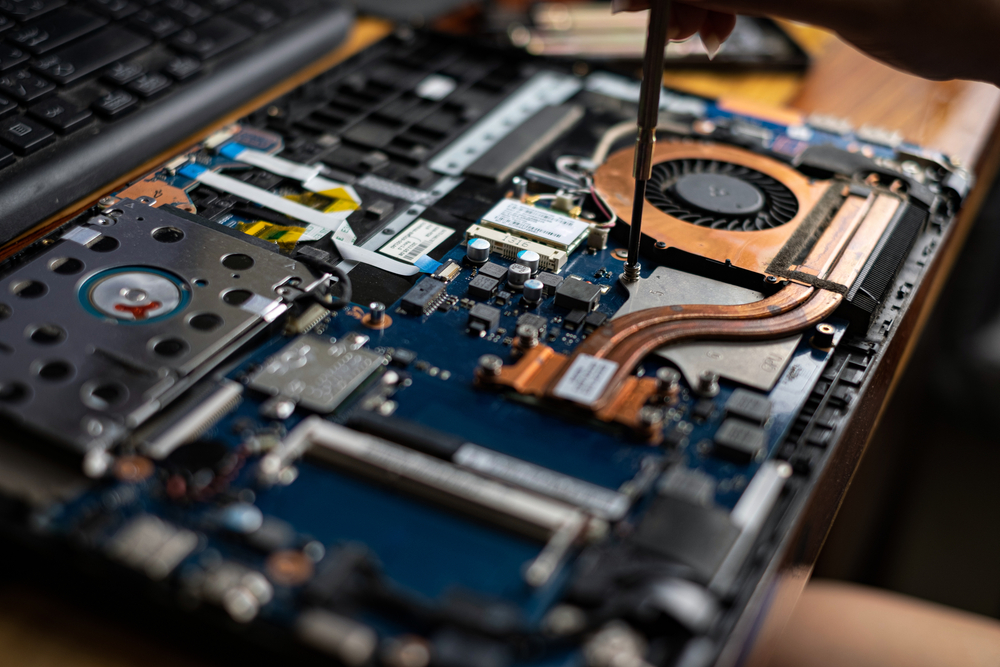
Other possibilities include an overheating graphics card, a failing monitor, a damaged laptop screen cable, unstable memory, power problems or a fault with the graphics hardware itself. A laptop can also develop a screen problem around the hinge area because the internal display cable moves every time the lid is opened and closed.
If you need Laptop repair Coalville, it is useful to explain whether moving the lid changes the picture. That small detail can help narrow down whether the issue is likely to be the screen assembly, internal cable or something deeper inside the laptop.
What should you check first?
If your computer screen keeps going black, start with the simple checks before assuming the computer needs a major repair. If you use a desktop monitor, check that the monitor itself has power and that its power light behaves normally. Disconnect and firmly reconnect the display cable at both ends. If you have another suitable cable, trying it can rule out an intermittent connection.
If possible, connect the computer to another monitor or television. If the second screen works normally, the original monitor or its cable becomes more likely. If both displays go black, the problem may be inside the computer.
For a laptop, try adjusting the screen angle slowly. If the image flickers, disappears or comes back as the lid moves, the internal display cable or screen assembly may need attention. Avoid repeatedly forcing the hinge if it feels stiff or damaged.
If the computer screen keeps going black after Windows has loaded, restart the machine and note whether the problem appears before or after the Windows sign-in screen. A fault that only starts once Windows loads can point more towards a driver or software issue than a completely dead display.
For persistent problems, PC repair Coalville can test the display output, graphics hardware and Windows installation rather than replacing parts on guesswork.

Could Windows or a graphics driver be causing the black screen?
Yes. Your computer screen keeps going black even when the physical display is perfectly healthy. Graphics drivers control how Windows communicates with the graphics hardware, and a faulty or unstable driver can cause the picture to disappear, flicker or return after a short delay.
If the problem started soon after a Windows update or graphics update, that timing matters. The correct solution may be to reinstall, update or roll back the graphics driver. But it is better to confirm the pattern before changing multiple settings at once.
Windows problems can also affect startup. A computer may boot to a black screen, show a cursor but no desktop, or display normally in recovery mode but fail during a standard startup. Those symptoms can point towards damaged system files, startup software or a driver conflict.
Computer software problems should be diagnosed carefully because reinstalling Windows is not always necessary. A good repair should first establish whether the fault is software or hardware. If important files are stored on the machine, data should also be considered before any repair work that could affect the operating system.
For local help with Windows repair and display faults, Computer repairs in Coalville can check the operating system and hardware together.

Can overheating or failing hardware make the screen go black?
Yes. If the computer screen keeps going black after the machine has been running for a while, heat can be a factor. Graphics cards and processors create heat, and the computer relies on fans, vents and heatsinks to remove it. Dust, failed fans or dried thermal material can reduce cooling performance.
Hardware faults can also appear only when the computer is under load. For example, a PC may seem fine while browsing the web but lose its display when running video, design software or another demanding task. That can indicate a graphics, power or temperature problem.
On desktop PCs, a failing power supply can sometimes cause sudden display loss, crashes or restarts. Faulty memory can also cause unstable behaviour. On laptops, overheating may cause the machine to slow down, freeze or shut down as well as lose its display.
Do not ignore strange noises, excessive fan activity, burning smells or unusually high heat. Those signs make continued use less sensible. A local computer repair in Coalville diagnosis can check temperatures, memory, storage, power and graphics performance before a failing component causes a larger problem.

What if the screen goes black but the computer stays on?
If your computer screen keeps going black but the computer stays powered on, that is an important distinction. The fault may be limited to the display path. That includes the monitor, cable, graphics output, graphics driver, laptop screen, internal display cable or graphics hardware.
Try listening for normal sounds. If music continues playing, keyboard lights respond or you can hear Windows notifications, the computer itself may still be running. On a desktop, trying another display connection can be useful if the graphics card provides more than one output.
If a laptop screen goes black but an external monitor continues to work, the problem is more likely to involve the laptop display system than Windows as a whole. If both screens fail together, the graphics system or software becomes more suspicious.
When your computer screen keeps going black intermittently, it can be frustrating because the fault may disappear while the machine is being checked. Recording when it happens, what software was running and whether the fans became louder can help with diagnosis.
When should you stop troubleshooting and get the computer checked?
If your computer screen keeps going black, basic checks are sensible. Repeatedly dismantling a laptop or swapping internal components without a clear diagnosis is not. If the computer screen keeps going black after you have checked the external cables, restarted the machine and tried another display where possible, professional diagnosis may be the quicker route.
You should also get help sooner if the computer contains important business files, family photos or other data that is not backed up. A display fault can be separate from the storage drive, so the data may still be completely recoverable even if you cannot see anything on screen.
Similarly, if the machine is also crashing, overheating, failing to start or making unusual noises, the black screen may be one symptom of a wider hardware problem. Computer diagnostics can test the machine systematically rather than treating each symptom in isolation.
If you are deciding whether to repair or replace an older machine, the answer depends on the fault, age, specification and cost of repair. Sometimes a screen, cable, memory or storage upgrade is worthwhile. In other cases, replacement makes more sense.
For a local assessment, Computer repair Coalville can check the cause and explain the practical repair options before unnecessary parts are replaced.
Frequently asked questions about black computer screens
Why does my computer screen keep going black for a few seconds?
If your computer screen keeps going black for a few seconds, it can be caused by a loose display cable, graphics driver reset, monitor fault or unstable graphics hardware. Check the cable first and note whether the problem happens during particular tasks. If it keeps returning, PC repair diagnostics can test the graphics system, Windows drivers, temperatures and power stability properly.
Why does my laptop screen go black when I move the lid?
If moving the lid makes the picture disappear or flicker, the internal display cable, screen connector or panel may be damaged. The cable passes through the hinge area and can wear over time. Laptop repair may involve opening the screen assembly, so avoid repeatedly forcing the lid if the hinge also feels tight.
Can a Windows problem cause a black screen?
Yes. Windows problems, damaged system files, startup software and graphics drivers can all produce a black or blank screen. The timing is useful: if the display works before Windows loads but fails afterwards, software becomes more likely. Windows repair should identify the cause before reinstalling the operating system or risking unnecessary data loss.
Can a virus make my computer screen go black?
Malware can cause unusual computer behaviour, but a black screen is more commonly linked to display, driver, Windows or hardware faults. If the machine also shows pop-ups, unknown software, browser redirects or severe slowdown, virus removal and malware checks are sensible. A proper diagnosis should still rule out hardware problems at the same time.
Is it worth repairing a computer when the computer screen keeps going black?
Often, yes. The repair may be as simple as a cable, monitor, laptop screen, driver or memory fault. The decision depends on the computer’s age, specification and the cost of the failed part. A repair specialist can compare repair costs with replacement and discuss upgrades if the computer is otherwise still useful.
Can my files be recovered if the screen no longer works?
Usually, a failed screen does not mean the files are lost. Your data is stored on the internal drive, not the display. If the drive is still healthy, files can often be copied or recovered. Data recovery becomes more complex if the computer has also suffered drive failure, physical damage or serious Windows problems.
When should I take a black-screen computer to a repair specialist?
Seek professional help if the problem keeps returning, the computer will not start properly, both internal and external displays fail, or the machine also crashes or overheats. Laptop repairs in Coalville can be especially useful where the fault may involve the screen cable, graphics hardware or internal components.
Useful Guides
Slow Computer? 7 Common Reasons Your PC Is Running Slowly
Computer Not Connecting to Internet? Common Causes
Computer Keeps Freezing? Why It Happens and What to Do
Computer Won’t Turn On? What Could Be Causing the Problem?
Laptop Overheating? 6 Reasons It Gets Hot and Shuts Down
Computer Keeps Crashing? 7 Problems That Could Be Causing It
Computer Running Out of Storage? What’s Taking Up All the Space?
Computer Making Strange Noises? What Those Sounds Could Mean
Computer Won’t Recognise USB Device? Common Reasons and Fixes